


Creator rank
Your REVLauncher rank is based on attributed game sales. The ranks are Bronze, Silver, Gold, Platinum, Diamond, and Legend.
For content creators
Find your next game.
Turn your coverage into opportunity.
REVLauncher brings game discovery, promotional Steam keys, and creator earnings together. Find games you want to cover, share your creator link or code, and earn from eligible sales.
Your content. Your voice. A share of the sales you help generate.
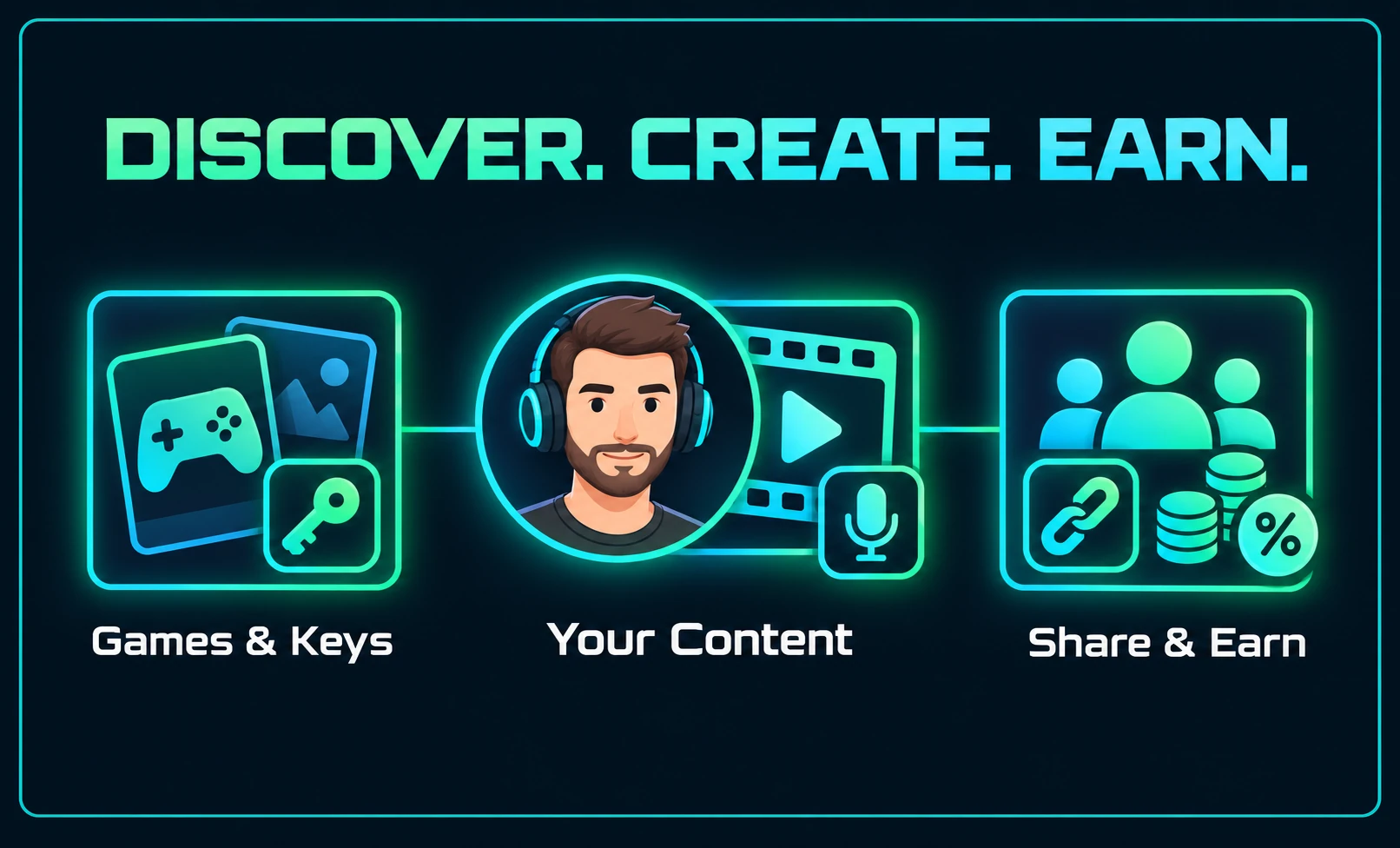
Overview / The creator journey
Three steps, from finding a game to earning from the sales you help generate. Choose a step to explore the details below.
Earnings come from eligible purchases attributed to your creator link or code. Receiving a key or playing a game does not guarantee payment.
Discover a game
Explore the store for games you’re interested in covering. Open a game page to learn about the game, see the creator rate, and check promotional key availability.
Get notified when the store opens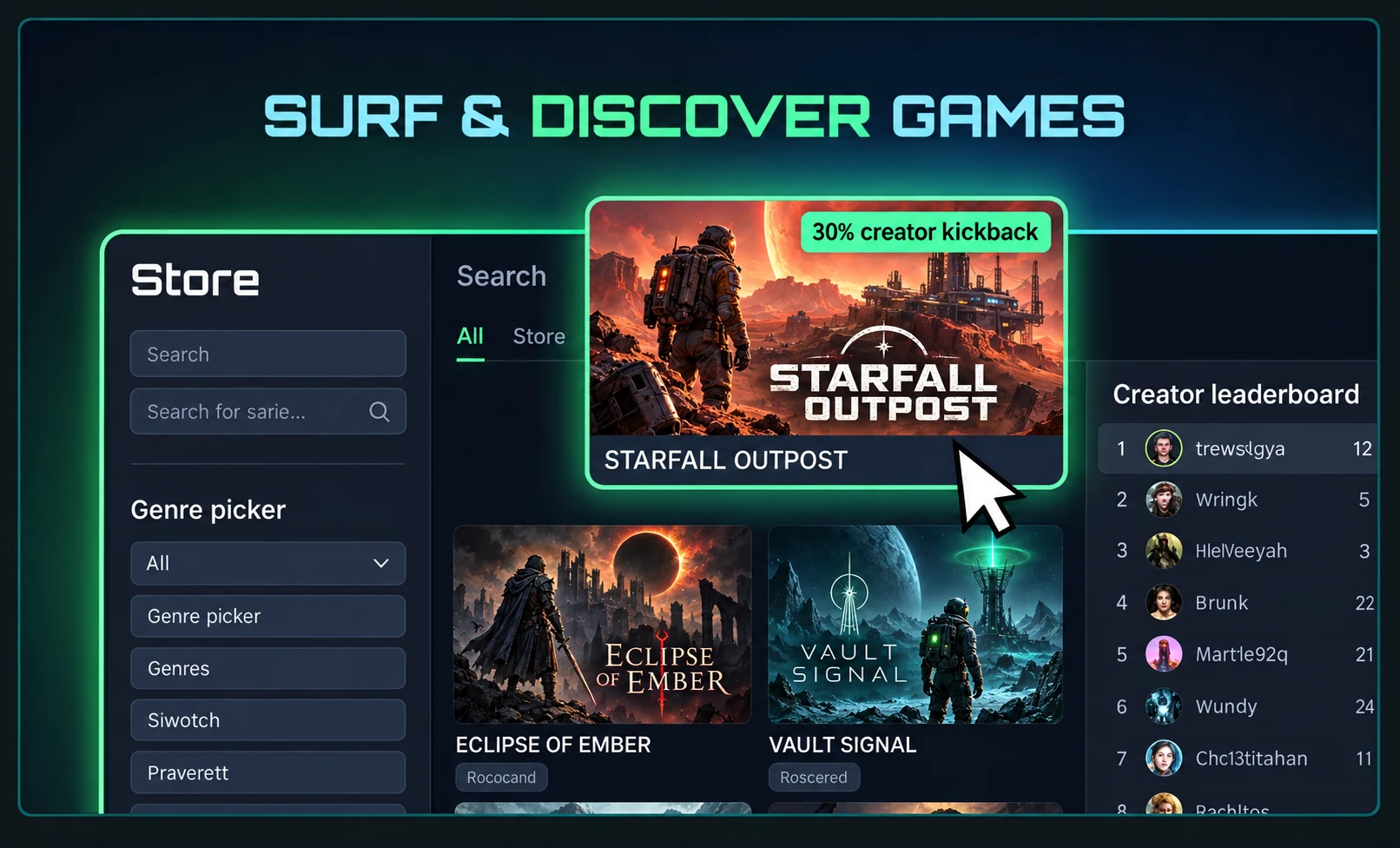
Follow your interestsBrowse genres and game details for something you’d enjoy creating content about.
Look at the opportunityCheck the creator revenue rate shown for that game. Rates can vary by game and creator.
Check your accessSign in to see whether you meet the developer’s requirements and whether keys are available.
Request a key & play
Each developer chooses who can request a promotional copy. When you meet the requirements and automatic approval is enabled, an available key can be granted right away.
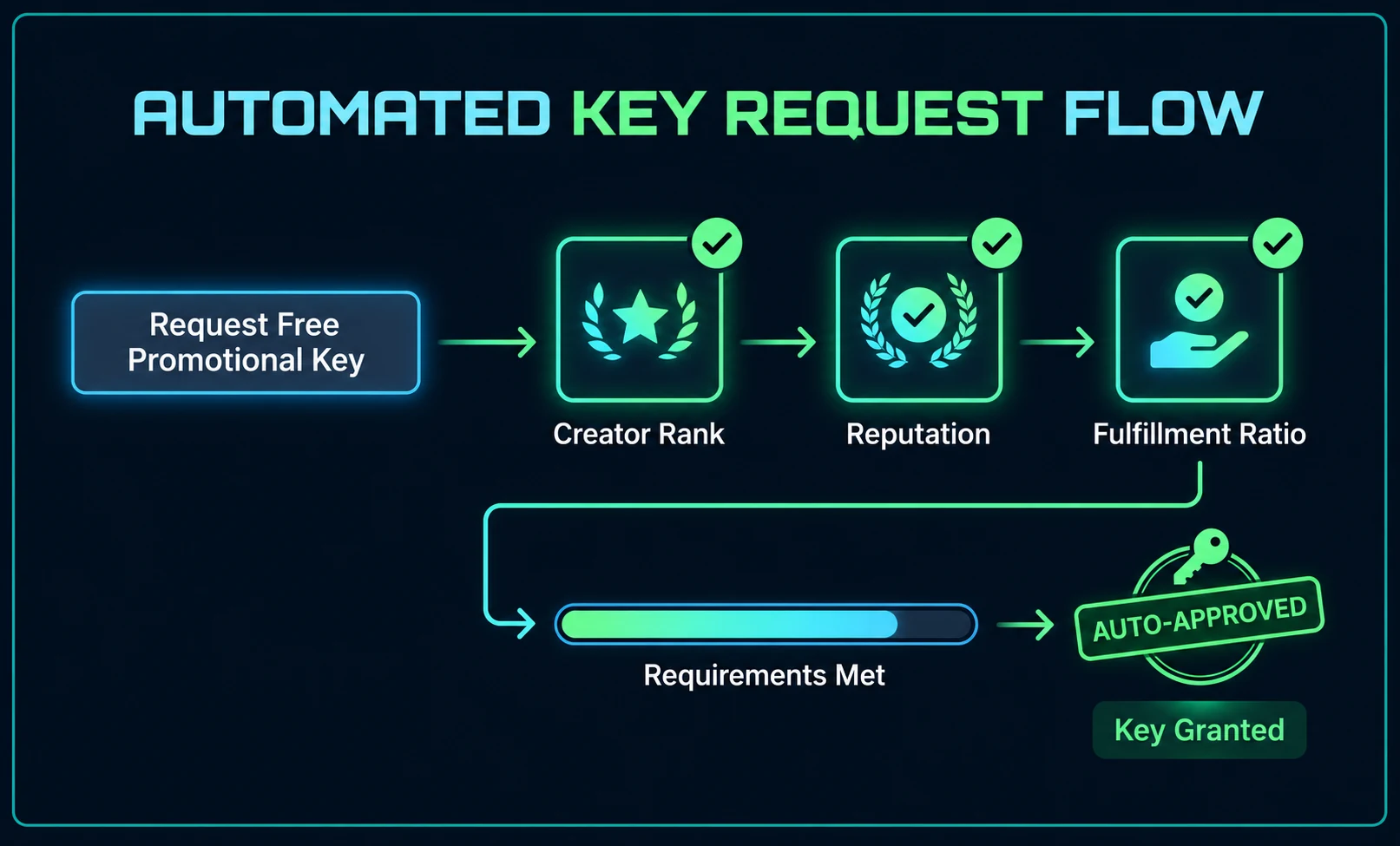
Your REVLauncher rank is based on attributed game sales. The ranks are Bronze, Silver, Gold, Platinum, Diamond, and Legend.
Developer reviews of the coverage you submit contribute to your reputation. A game can set a minimum reputation requirement.
This reflects how consistently you submit content for the promotional keys you receive. Share your published links to keep your record up to date.
A game may also require a verified payout identity. If you don’t meet its rules or keys have run out, you can explore another game. Availability and approval depend on that game’s settings.
Create, share & earn
Your key stays hidden in your creator dashboard until you choose to reveal it. Activate it on Steam, play the game, and create original coverage in your own style.
Make a video, stream, or post about the game. Clearly disclose that you received a promotional key.
Submit up to three published links for the key in your dashboard. Add a title, date, or notes to give the developer context.
Track the developer’s review alongside your key and submitted content. Approved, supported videos may be featured on the game page.
Your opinion stays yours. Honest coverage is expected; a positive review is never required.
Next, connect your content to sales
Help your audience find the game through your creator store link or promo code. When an eligible purchase is attributed to you, the game’s applicable creator rate determines your share.
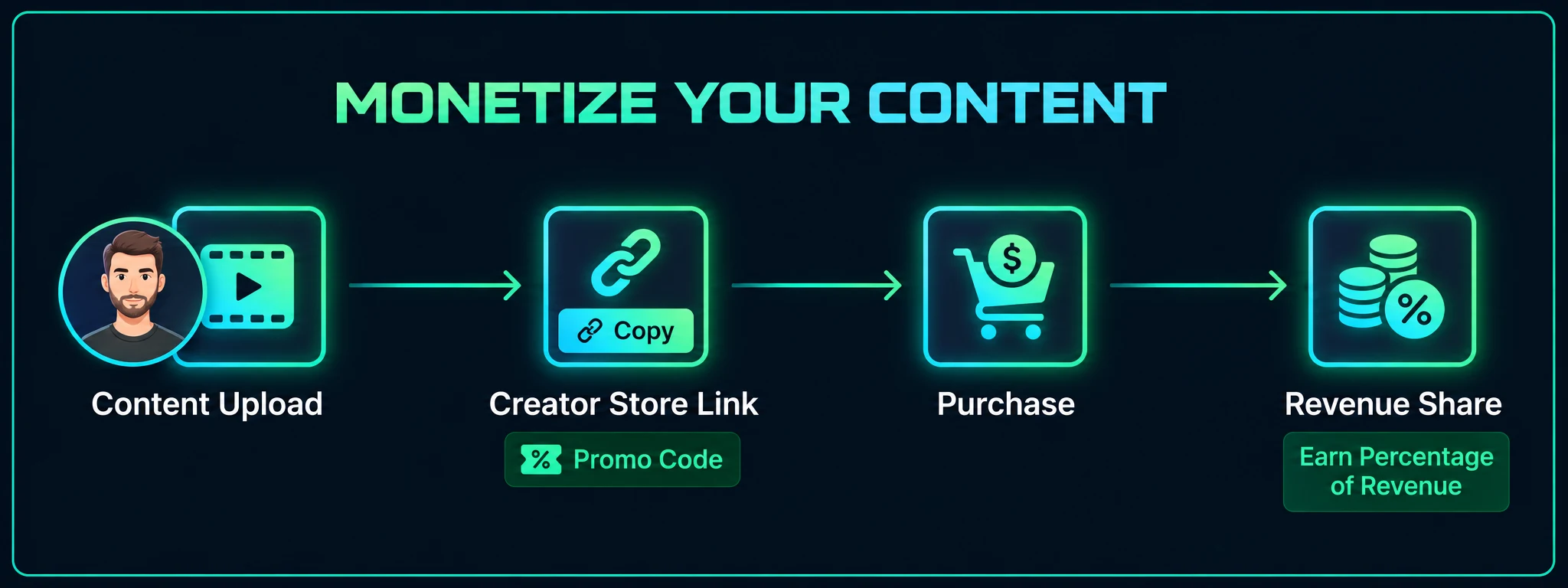
Copy your creator store link from the game page or dashboard. Include it in your description or post, or share your creator promo code for checkout.
Review your current creator rate before sharing. It may be the game’s public rate, a rank-based rate, or an individual offer you’ve accepted.
Follow attributed sales, earnings, available balance, and payout status in your dashboard. Complete payout setup to request eligible funds.
Actual earnings depend on eligible purchases and the applicable revenue terms. The example rate in the store illustration is not a promised or universal rate.
Your next step
Join the launch list now. When REVLauncher opens, we’ll email you how to sign in, choose Content Creator, and set up your organization and creator identity.
A few useful answers
More about how to make money playing games through creator coverage and revenue sharing.
Read the creator agreementDiscover a game, request a promotional key if you qualify, and publish original coverage. Share your creator store link or promo code so eligible purchases can be attributed to you. Your earnings follow the game’s applicable creator revenue rate.
No. Earnings come from eligible sales attributed to your creator link or code. A promotional key gives you access to a game you plan to cover; it does not guarantee payment, a sponsorship, or minimum earnings.
Each developer sets their own access rules. Check the game page for your status, make sure your profile and any required payout identity are complete, and keep submitting coverage for keys you receive. You can also explore other games with different requirements. Keys are limited and access is not guaranteed.
Rank reflects attributed game sales. Reputation reflects developer reviews of your submitted coverage. Fulfillment reflects how consistently you submit coverage for promotional keys. The game’s access panel shows which requirements apply to you.
Publish on your own channel, then submit up to three links for the key in your creator dashboard. Supported labels include YouTube, Twitch, TikTok, Instagram, X, and other public links. Clearly disclose the promotional key and share your honest opinion.
There is no fixed earning amount. Your revenue depends on eligible attributed sales and the rate for each game. Review your earnings and available balance in the dashboard, complete payout setup, and request funds when they are eligible under the current payout terms.
A game’s access checks use your REVLauncher record and any required payout identity, rather than follower counts or video views. You still need to meet its rules and have available keys. A positive review is never required: your coverage should be honest and disclose that you received a key.